Your macros, under control
Automate your keyboard & mouse
with millisecond precision
Record your actions and replay them exactly — or with human-like variation. 120 free minutes every day.
Features
Everything you need for reliable macros
Recording, replay and bindings for keys and mouse buttons — in a fast, familiar editor.
Millisecond-precise
Drift-free playback on a high-resolution timer. A recording is stored and replayed 1:1.
Humanize
A slider that spreads intervals, holds, pauses and cursor corrections — from machine-even to lifelike.
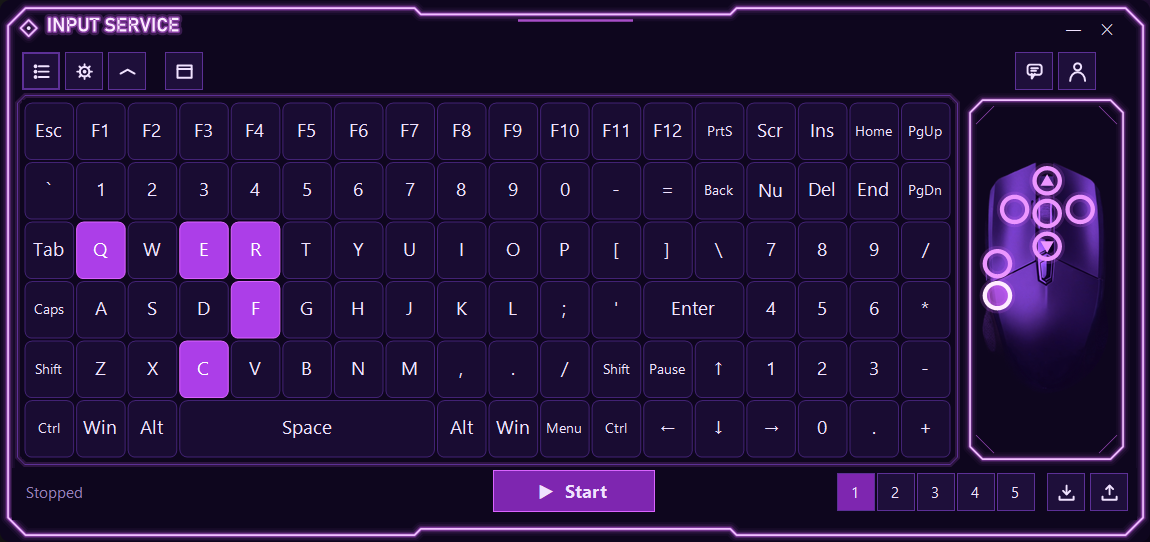
Key bindings
Bind any key or mouse button to a macro, a shortcut or another button. Five profiles.
Run modes
Once, while the key is held, or toggle. Bind to the window of the program you want.
Precise coordinates
A picker with a live X/Y and pixel-colour readout. Conditions based on on-screen colour.
Account & licence
One login, device binding, 120 minutes a day, and a support chat right inside the app.
Editor
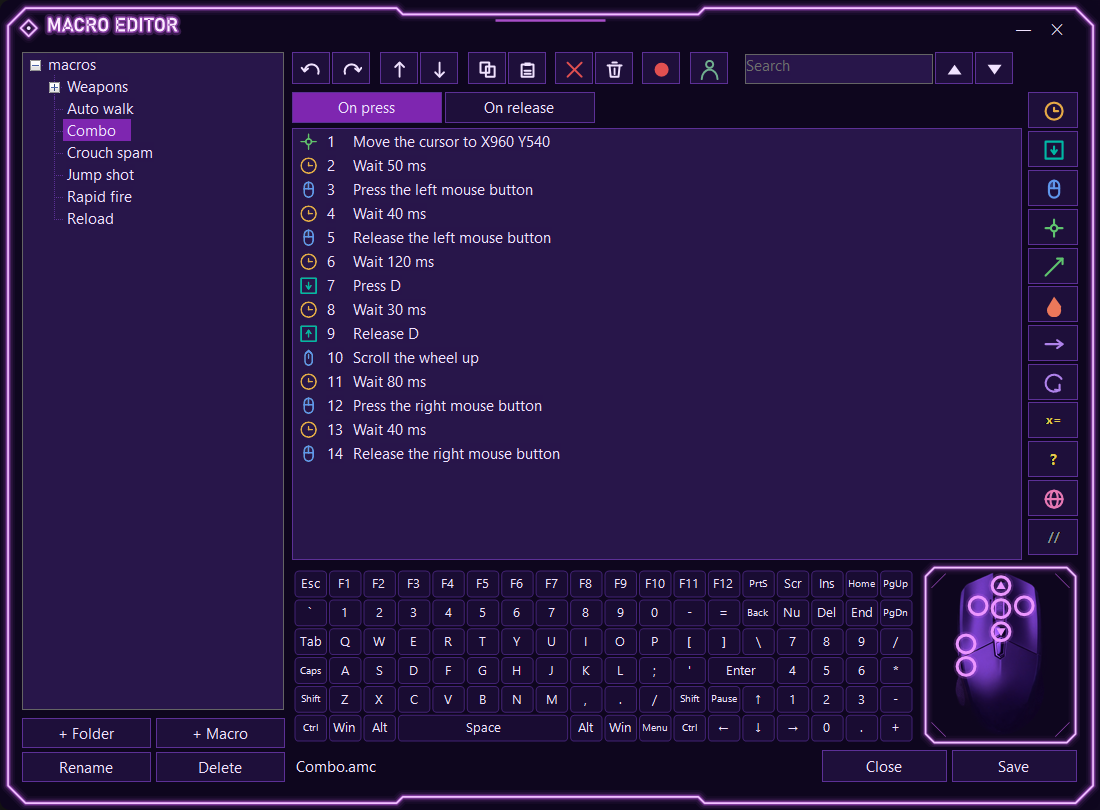
Record and fine-tune
Record keys, buttons, the wheel and cursor moves with one press. Then edit the lines, insert delays, loops and conditions.
- Record with pauses, absolute or relative moves
- Line commands: delays, loops, variables, colour conditions
- A Humanize slider per macro
- Macros are stored as
.amcfiles — import and export profiles
How it works
Four steps to your first macro
From sign-up to running — just a few minutes.
Download Input Service
A single file for Windows. Runs right away, no installation.
⬇ Download for WindowsIf Windows or your browser warns about the file, choose Keep / Allow download, then More info → Run anyway. It's safe — the app is new and simply hasn't built up download reputation yet. More details.
FAQ
Frequently asked questions
How much does it cost?
Does it need installation?
What macro format does it use?
.amc files. You can create and edit them in the built-in editor, and import or export whole profiles.